
Heated seats (if so equipped)
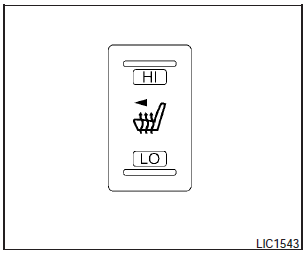
The front seats are warmed by built-in heaters.
The switch is located on the center console.
1. Start the engine.
2. Push the LO or HI position of the switch, as desired. The indicator light in the switch will illuminate.
The heater is controlled by a thermostat, automatically turning the heater on and off.
The indicator light will remain on as long as the switch is on.
3. When the seat is warmed or before you leave the vehicle, be sure to turn the switch off.
CAUTION:
- Do not use the seat heater for extended periods or when no one is using the seat.
- Do not put anything on the seat which insulates heat, such as a blanket, cushion, seat cover, etc. Otherwise, the seat may become overheated.
- Do not place anything hard or heavy on the seat or pierce it with a pin or similar object. This may result in damage to the heater.
- Any liquid spilled on the heated seat should be removed immediately with a dry cloth.
- When cleaning the seat, never use gasoline, benzine, thinner, or any similar materials.
- If any abnormalities are found or the heated seat does not operate, turn the switch off and have the system checked by your NISSAN dealer.
- The battery could run down if the seat heater is operated while the engine is not running.
See also:
Suggested maximum speed in each
gear
Downshift to a lower gear if the engine is not
running smoothly, or if you need to accelerate.
Do not exceed the maximum suggested speed
(shown below) in any gear. For level road driving,
use the ...
How to read the displayed lines
Guiding lines which indicate the vehicle width
and distances to objects with reference to the
vehicle body line (A) are displayed on the monitor.
Distance guide lines:
Indicate distances from ...
Vehicle Phonebook
This vehicle has two phonebooks available for
your use. Depending on your phone, the system
may automatically download your entire cell
phones phonebook into the Handset Phonebook
. For the ...