
Console box
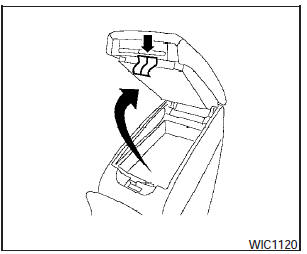
Upper half
Pull up on the drivers side latch to open the upper half of the console box.
The upper half of the console box may be used for storage of cellular phones. An access hole is provided at the front of the upper half of the console box for a phone or iPodT cord routing to the power outlet.
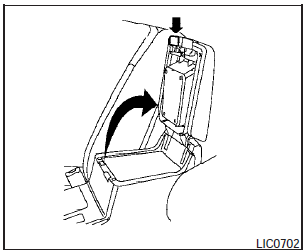
Lower half
Pull up on the lever to open the lower half of the console box. A power outlet is located inside the console box and there is storage for compact discs.
See also:
If your vehicle overheats
If your vehicle is overheating (indicated by an
extremely high temperature gauge reading), or if
you feel a lack of engine power, detect abnormal
noise, etc., take the following steps.
` ...
Measurement of weights
Secure loose items to prevent weight shifts
that could affect the balance of your
vehicle. When the vehicle is loaded, drive
to a scale and weigh the front and the rear
wheels separately to de ...
Latch lower anchor
WARNING:
Failure to follow the warnings and instructions
for proper use and installation of
child restraints could result in serious injury
or death of a child or other passengers
in a sudden ...