
Troubleshooting guide
Nissan Maxima / Nissan Maxima Owners Manual / Pre-driving checks and adjustments / Troubleshooting guide
Verify the location of all Intelligent Keys that are programmed for the vehicle. If another Intelligent Key is in range or inside the vehicle, the vehicle system may respond differently than expected.
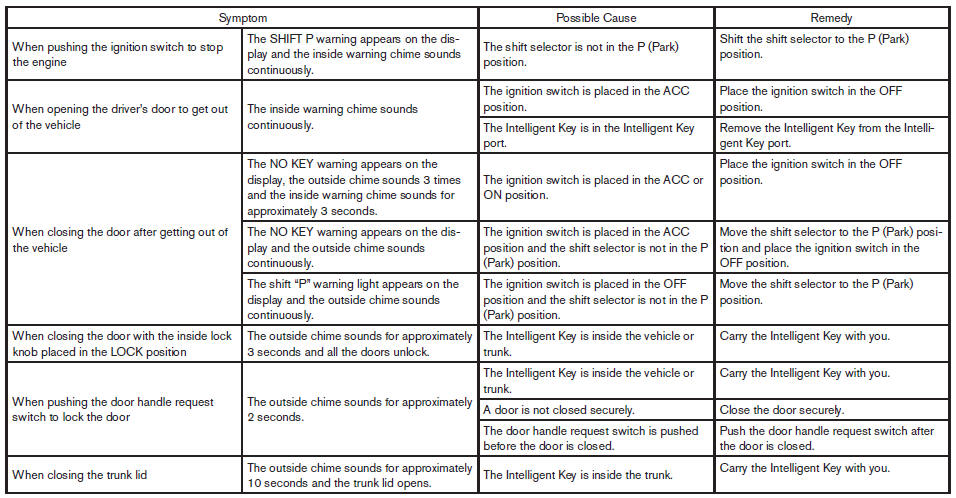 TROUBLESHOOTING GUIDE
See also:
Tire and loading information label
Sedan
Coupe
The cold tire pressure is shown on the Tire and
Loading Information label. The label is located as
shown. ...
Terms
It is important to familiarize yourself with the
following terms before loading your vehicle:
- Curb Weight (actual weight of your
vehicle) - vehicle weight including:
standard and optional eq ...
Battery replacement
CAUTION:
Be careful not to allow children to swallow
the battery or removed parts.
...