
Speedometer and odometer
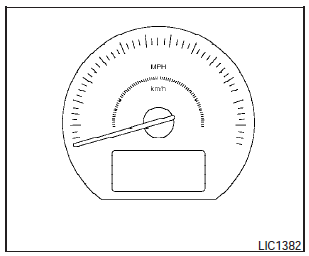
Speedometer and odometer
Speedometer
The speedometer indicates the vehicle speed.
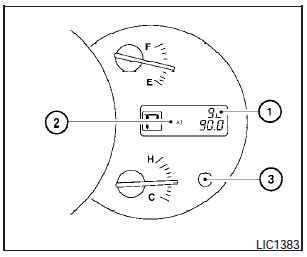
Odometer/Twin trip odometer
The odometer/twin trip odometer is displayed when the ignition switch is placed in the ON position.
The odometer records the total distance the vehicle has been driven.
The twin trip odometer records the distance of individual trips.
Changing the display
Push the change button (3)- to change the display as follows:

Resetting the trip odometer:
Push the change button for more than 1 second to reset the currently displayed trip odometer to zero.
Elapsed time, driving distance and average speed information is also available. Refer to Control panel buttons in the Monitor, climate, audio, phone and voice recognition systems section in this manual.
See also:
Intelligent Key system (if so equipped)
- Radio waves could adversely affect
electric medical equipment. Those
who use a pacemaker should contact
the electric medical equipment
manufacturer for the possible influences
before u ...
Changing a flat tire
If you have a flat tire, follow the instructions
below. ...
SENSE AND STYLE
Family Friendly (Not Really, Fair, Great, Excellent): Fair
Fun-Factor (None, Some, Good Times, Groove-On): Some ...