
Giving voice commands
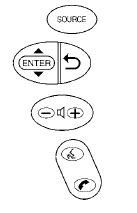
1. Press and release the  switch
located
on the steering wheel.
switch
located
on the steering wheel.
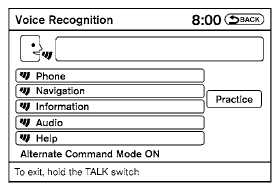
2. A list of commands appears on the screen, and the system announces, “Please say a command from the displayed list or say Help to show all commands.”
3. After the tone sounds and the icon on the
screen changes from  to
to
 , speak
a command.
, speak
a command.
4. Once a command is recognized, the system will announce the recognized command and perform the requested action.
If the command is not recognized, the system repeats the announcement. Repeat the command in a clear voice after the tone.
See also:
CD or USB with Compressed Audio Files (models without Navigation System)
The file types supported by this system are MP3
and WMA.
Explanation of terms:
- MP3 MP3 is short for Moving Pictures
Experts Group Audio Layer 3. MP3 is the
most well-known compressed digital ...
2012 Nissan Versa review
The 2012 Nissan Versa sedan is about as compelling as an old dishwasher, but
its fuel efficiency, roominess and unrivaled value will get a lot of shoppers to
overlook that.
Economy cars boast sh ...
Air fresheners
Most air fresheners use a solvent that could affect
the vehicle interior. If you use an air freshener,
take the following precautions:
- Hanging-type air fresheners can cause permanent
discolor ...