
Using the panic alarm (if so equipped)
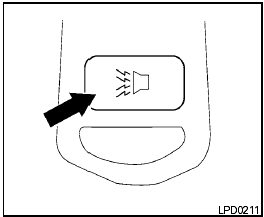
Using the panic alarm (if so equipped)
If you are near your vehicle and feel threatened,
you may activate the panic alarm to call attention
by pressing and holding the  button
on the
keyfob for longer than 0.5 seconds.
button
on the
keyfob for longer than 0.5 seconds.
The panic alarm and headlights will stay on for 25 seconds.
The panic alarm stops when:
● it has run for 25 seconds, or
● any button is pressed on the keyfob.
See also:
Interior
Nissan promises “first-class seating” on sculpted seats. Equipped with either
cloth or leather upholstery, the Murano has flip-out door pockets and a
removable cupholder. Adjustable pedals are ...
Special winter equipment
It is recommended that the following items be
carried in the vehicle during winter:
- A scraper and stiff-bristled brush to remove
ice and snow from the windows and wiper
blades.
- A sturdy, ...
CD, DVD or USB with Compressed
Audio Files (models with Navigation
System)
The file types supported by this system are MP3,
WMA, AAC/M4A and ATRAC3.
Explanation of terms:
● MP3 — MP3 is short for Moving Pictures
Experts Group Audio Layer 3. MP3 is the
most well ...