
NISSAN Intelligent Key™ Operation
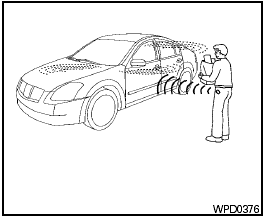
NISSAN Intelligent Key™ Operation
You can lock or unlock the doors without taking the Intelligent Key out of your pocket or bag.
When you carry the Intelligent Key with you, you can lock or unlock all doors by pushing the door handle request switch within the range of operation.
See also:
Giving voice command
To operate NISSAN Voice Recognition, push
and release the button located on
the
steering wheel. After the tone sounds, speak a
command.
The command given is picked up by the
microphone, an ...
Event Data Recorders (EDR)
This vehicle is equipped with an Event Data Recorder
(EDR). The main purpose of an EDR is to
record, in certain crash or near crash-like situations,
such as an air bag deployment or hitting a
...
How to park with predicted course lines
WARNING:
- Always turn and check that it is safe to
do so before backing up. Always back
up slowly.
- Use the displayed lines as a reference.
The lines are highly affected by the
number of oc ...