
Unlocking doors
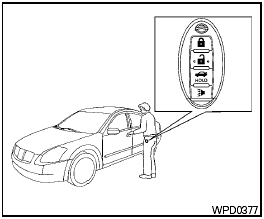
Unlocking doors
1. Carry the Intelligent Key.
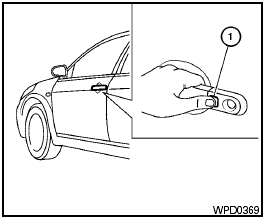
2. Push the door handle request switch 1 .
3. The hazard warning lights flash once and the outside buzzer sounds once.
4. Push the door handle request switch 1 again within 60 seconds to unlock all doors.
If a door handle is pulled while unlocking the doors, that door may not be unlocked. Returning the door handle to its original position will unlock the door. If the door does not unlock after returning the door handle, push the door handle request switch to unlock the door.
All doors will be locked automatically unless one of the following operations is performed within 60 seconds after pushing the request switch.
● Opening any door.
● Pushing the ignition switch.
● Inserting the mechanical key into the ignition switch.
The interior light timer illuminates for a maximum of 30 seconds when a door is unlocked and the room light switch is in the DOOR position.
The interior light can be turned off without waiting for 30 seconds by performing one of the following operations.
● Placing the ignition switch in the ON position.
● Locking the doors with the remote controller.
● Switching the room light switch to the OFF position.
See also:
HomeLink universal transceiver (if so equipped)
The HomeLink Universal Transceiver provides a
convenient way to consolidate the functions of up
to three individual hand-held transmitters into
one built-in device.
HomeLink Universal Transceiv ...
Opener operation
The fuel-filler door release is located on the floor
to the left of the driver’s seat. To open the fuelfiller
door, pull up the release. To lock, close the
fuel-filler door securely. ...
Satellite radio reception (if so equipped)
When the satellite radio is used for the first time
or the battery has been replaced, the satellite
radio may not work properly. This is not a malfunction.
Wait more than 10 minutes with satellit ...