
Meters and gauges
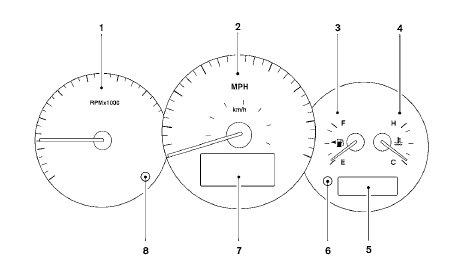
1. Tachometer
2. Speedometer
3. Fuel gauge
4. Engine coolant temperature gauge
5. Odometer/twin trip odometer
6. Twin trip odometer change button
7. Vehicle information display
8. Instrument brightness control
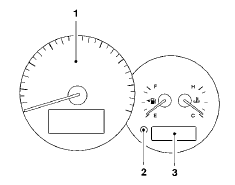
1. Speedometer
2. Change button
3. Odometer/twin trip odometer
See also:
Forward-facing child restraint installation using the
seat belts
- The three-point seat belt with Automatic
Locking Retractor (ALR) must
be used when installing a child
restraint. Failure to use the ALR
mode will result in the child restraint
not bein ...
Cleaning
If your windshield is not clear after using the
windshield washer or if a wiper blade chatters
when running, wax or other material may be on
the blade or windshield.
Clean the outside of the wi ...
Reprogramming a single HomeLink® button
To reprogram a HomeLink® Universal Transceiver
button, complete the following.
1. Push and hold the desired HomeLink®
button. Do not release the button until step
4 has been completed.
2. Wh ...