
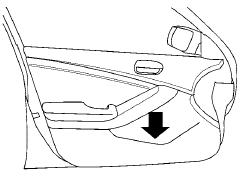
Map pockets
See also:
Treadwear
The treadwear grade is a comparative rating
based on the wear rate of the tire when tested
under controlled conditions on a specified
government test course. For example, a tire
graded 150 wou ...
Controls
Automatic control button
Push the AUTO button to activate the automatic
climate control system for the passenger compartment.
Fan control button
Push the button to manually
control the fan
sp ...
Connecting procedure
1. Press the SETTING button on the instrument
panel and select the Bluetooth key
on the display.
2. Select the Connect Bluetooth key.
3. A popup box will appear on the screen,
prompting ...