
Useful tips for correct operation
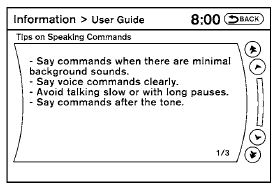
You can display useful speaking tips to help the system recognize your voice commands correctly.
1. Select “Help on Speaking”.
2. You can confirm the page by scrolling the screen.
See also:
Getting the spare tire and tools
Sedan
Coupe
Sedan
Open the trunk. Lift the trunk floor carpeting and
spare tire cover. Remove the jack 1 and wheel
nut wrench 2 from the tool box.
Turn the clamp to remove the spare tire ...
Seats & Storage
Crank the standard height-adjustable driver's seat up, and the Juke offers a
view of the road that's more akin to a crossover than a small car. The smallish
cabin minimizes the distance between yo ...
Silencing the horn beep feature
Silencing the horn beep feature
If desired, the horn beep feature can be deactivated
using the Intelligent Key.
To deactivate: Press and hold the
and
buttons for at least 2 seconds.
The h ...