
Exterior and interior lights
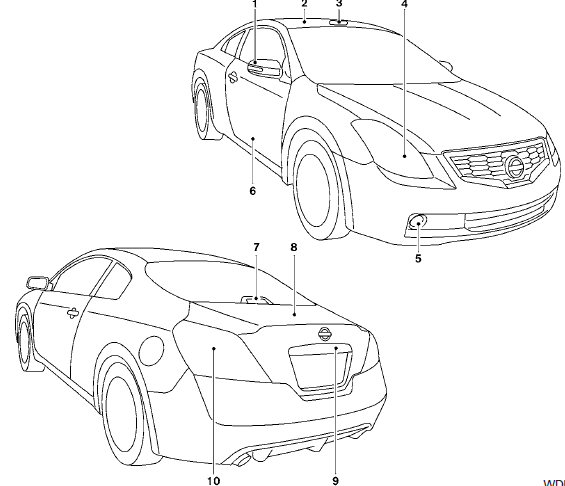
Coupe
1. Mirror-mounted turn signal light
(if so equipped)
2. Interior light
3. Map light
4. Headlamp assembly
5. Fog light (if so equipped)
6. Step light
7. High-mount stoplight
8. Trunk light
9. License plate light
10. Rear combination light
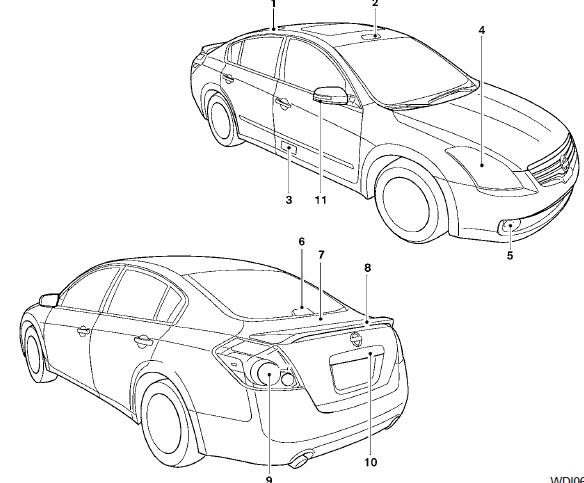
Sedan
1. Rear map light
2. Front map light
3. Step light
4. Headlamp assembly
5. Fog light (if so equipped)
6. High-mount stoplight (if so equipped)
7. Trunk light
8. Spoiler mounted stoplight
(if so equipped)
9. Rear combination light
10. License plate light
11. Mirror-mounted turn signal light
(if so equipped)
Replacement procedures
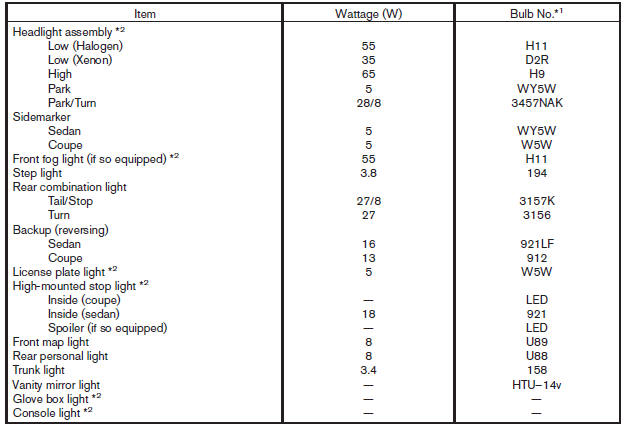
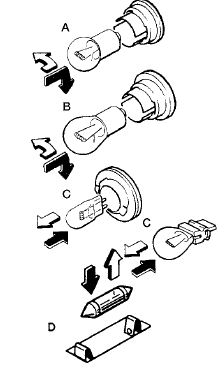
All other lights are either type A, B, C or D. When replacing a bulb, first remove the lens, light and/or cover.
 Indicates bulb removal
 Indicates bulb installation
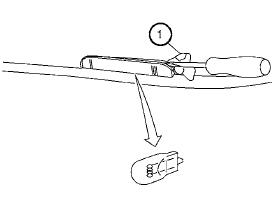
Step light
Use a cloth 1 to protect the housing.
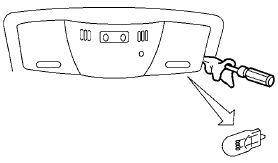
Map light
Use a cloth to protect the housing.
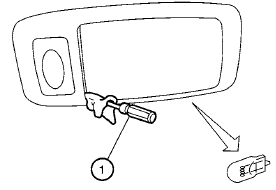
Personal light (if so equipped)
Use a cloth 1 to protect the housing.
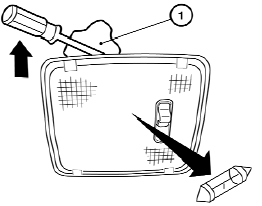
Interior light
Use a cloth 1 to protect the housing.
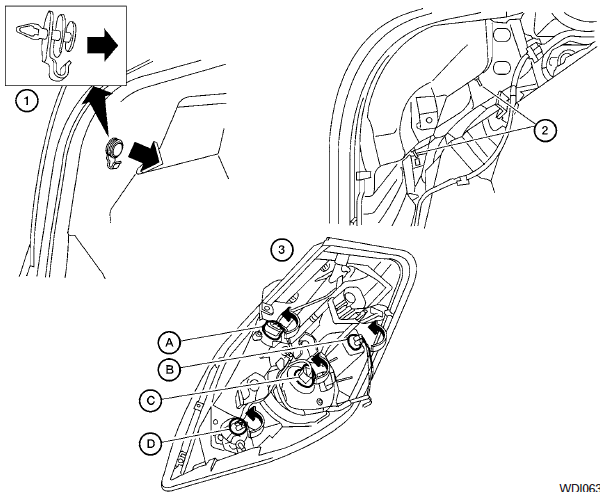
Rear combination light
To access the bulbs in the rear combination light:
1 Remove the fasteners. Carefully push back the carpet.
2 Remove the 2 nuts and pull out the rear combination light.
3 Rotate the bulb(s) counterclockwise and pull out to remove:
A Turn signal light
B Sidemarker light
C Tail/stop light
D Backup light
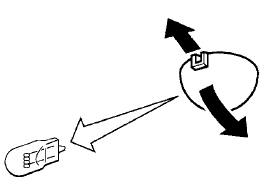
Trunk light
See also:
Warning signals
To help prevent the vehicle from moving unexpectedly
by erroneous operation of the Intelligent
Key or to help prevent the vehicle from being
stolen, a chime or buzzer sounds from inside and
outsid ...
FM/AM radio operation
FM/AM band select:
Pressing the RADIO button will change the band
as follows:
AM ←→ FM
When the RADIO button is pressed while the
ignition switch is in the ACC or ON position, the
ra ...
Vehicle security system activation
The vehicle security system will give the following
alarm:
● The headlights blink and the horn sounds
intermittently.
● The alarm automatically turns off after approximately
50 second ...