
Let’s Practice
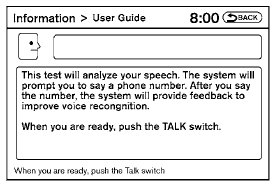
The system is equipped with a tutorial that allows you to practice saying commands and receive feedback on the volume, speed and timing of your speech.
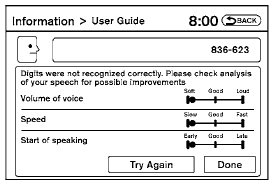
To initiate a practice session, access the User Guide and select the “Let’s Practice” key. Follow the on-screen prompts until the session is complete. After the session is completed, a screen will be displayed that shows an analysis of different elements of your speech. Select the “Try Again” to repeat the session if improvement is needed. Select the “Done” key to return to the User Guide screen.
See also:
Heated seats (if so equipped)
The front seats are warmed by built-in heaters.
The switch is located on the center console.
1. Start the engine.
2. Push the LO or HI position of the switch, as
desired. The indicator light in ...
Moving closer to a projecting object
The position C is shown further than the
position B in the display. However, the
position C is actually at the same distance
as the position A . The vehicle may hit the
object when moving to ...
Boxy Dynamics
I have no reason to believe the Cube is unstable, and it has a standard
electronic stability system, but it does feel more top-heavy than the other
boxes — and definitely more so than convention ...