
Automatic operation
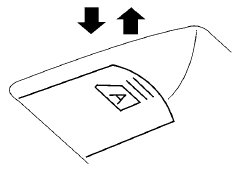
To fully open a window equipped with automatic operation, press the window switch down (only driver’s side shown) to the second detent and release it; it need not be held. The window automatically opens all the way. To stop the window, lift the switch up while the window is opening. To fully close a window equipped with automatic operation, pull the switch up to the second detent and release it; it need not be held. To stop the window, press the switch down while the window is closing.
See also:
Drive belt
QR25DE engine
1. Power steering fluid pump pulley
2. Water pump pulley
3. Generator
4. Air conditioner
5. Crankshaft pulley
6. Drive belt Automatic tensioner
WARNING
Be sure the ignition swi ...
Intelligent Key operating range
Intelligent Key operating range
The Intelligent Key functions can only be used
when the Intelligent Key is within the specified
operating range from the request switch 1 .
When the Intelligent ...
Grocery hooks (if so equipped)
Grocery hooks (if so equipped)
The grocery hooks are located in the trunk and
can be used to hang a standard size plastic
grocery bag.
Do not apply a total load of more than 20
lbs (9 kg ...